
Showing posts with label Layers. Show all posts
Showing posts with label Layers. Show all posts
Wednesday, 1 April 2015
Digipak: Inner Panels - Andy Warhol Base Layer
This is the base layer that is used to create the Warhol effect. This is done by using various layers and adjusting the levels and then erasing out the surrounding areas to create a flawless composition.

Wednesday, 25 March 2015

Tuesday, 24 March 2015
Digipak - Black And White - Potential Final Image
With a little more editing I feel this could be my final piece for the front panel of my digipak


Digipak - Black And White Development Using Smudge Tool
Another development using the smudge tool around the edges to create a more even finish
 |
| Add caption |
DIgipak - Black and White Multiply Effect On Layers
Today I edited this picture using the same editing steps as seen in a previous blog post.


Digipak - Full Colour With Multiply Effect On Layers
Photoshop edit this was created by turning the pieces of newspaper into black and white, adding them to the hair and then using the side bar to select Multiply instead of the default of Pass Through.

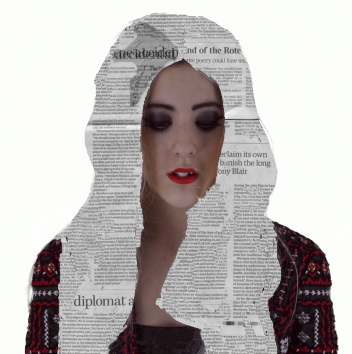 |
| Multiply effect |
 |
| layer selection - Multiply |
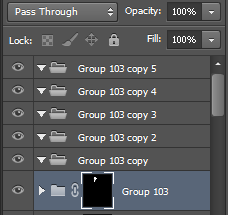 |
| layer selection (default) |
 |
| Default |
Subscribe to:
Posts (Atom)